
Snap and voice log: capture blood pressure from your home monitor
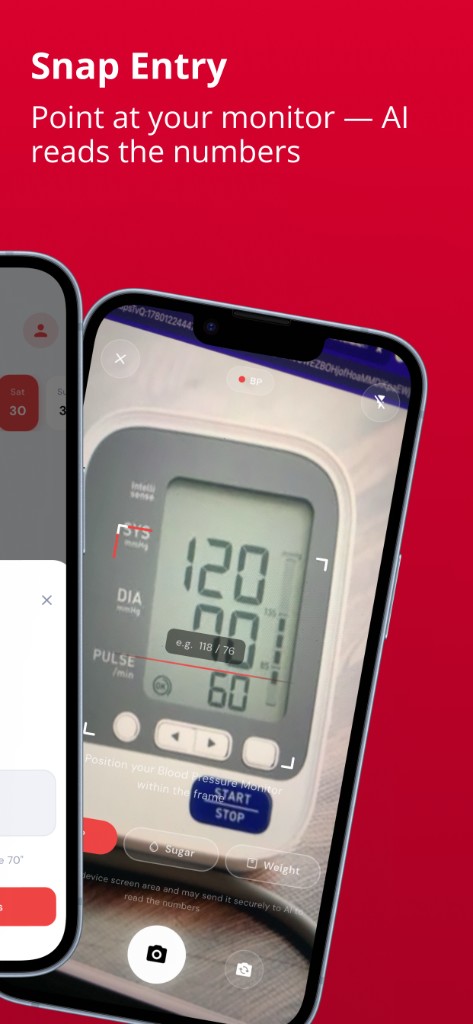
Searches like snap blood pressure, blood pressure photo, or voice log usually mean: get the numbers off the home monitor into a diary without retyping under pressure. Blood Snap supports type, speak, and snap entry for blood pressure, blood sugar, and weight. You confirm every value. The app is not a medical device and does not replace reading the cuff yourself.
Snap entry
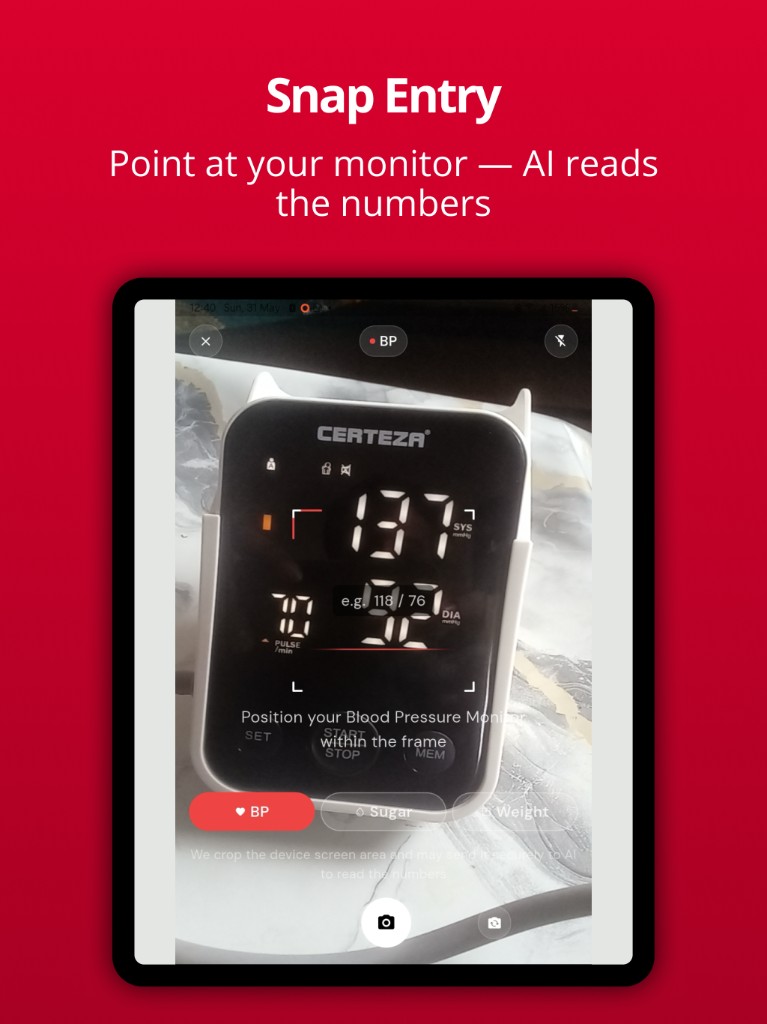
Photograph a clear, well-lit screen on a home blood pressure machine, cuff display, glucometer, or scale. Hold steady so SYS, DIA, pulse, or glucose digits are sharp. Review the extracted numbers against the device, then save — or edit first.
For what SYS / DIA / pulse mean on the machine, see how to read your blood pressure monitor and systolic, diastolic, and pulse. For pairing pain on any cuff, see blood pressure monitor without Bluetooth. For Accu-Chek without Bluetooth, see photograph your glucose meter into a diary.
Voice log
Speak a reading in plain language (for example “blood pressure 120 over 80, pulse 72”), then check the draft before it becomes part of your diary. Voice is a convenience layer, not a clinical transcription service.
Why confirmation matters
- Glare, odd fonts, or partial frames can misread a digit.
- A wrong saved reading pollutes charts and clinic PDFs.
- Always trust the physical monitor over an unconfirmed snap or voice draft.
After you save
Use Insights for blood pressure and glucose charts of your log, and export when you need a visit record. Habit tips for seated checks live in how to track blood pressure at home and BP diary and BP tracker.
Try it in Blood Snap. Free type, voice, and snap logging for BP, sugar, and weight — confirm every reading, then chart and export.
Educational information with public guideline citations. Not medical advice and not a diagnosis. Blood Snap is a personal wellness diary — not a medical device, blood pressure machine, glucometer, or CGM. Always follow your clinician's advice.